🗑️
A trash you review first
Swiping left never deletes on the spot. Restore one item or all of them, and undo your last action at any time.
 PhotoTri
 hides faces in one tap before you share, turns your holidays into a recap ready to send, and clears out the videos clogging your phone. No account, no subscription: everything happens on your phone.
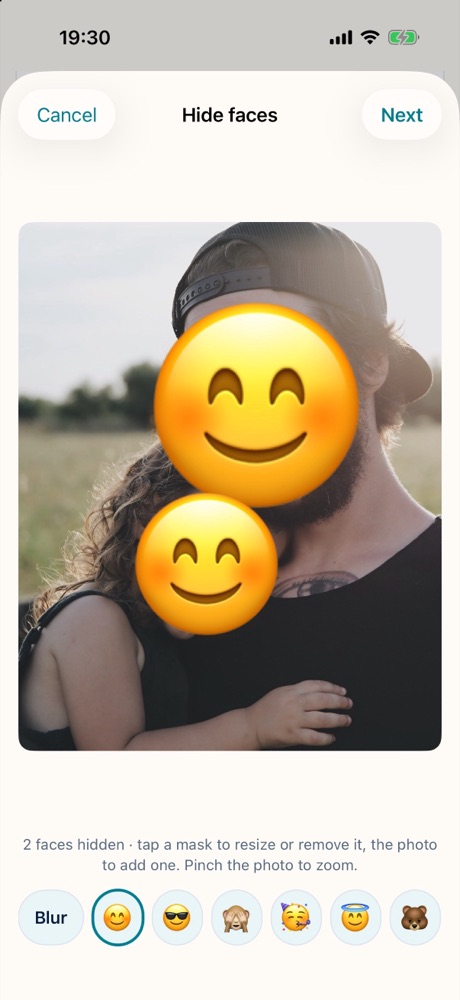
 😊 2 faces hidden
🔒 Nothing leaves your phone
Not everyone wants to end up on Instagram or in the parents' WhatsApp group. Other people's kids even less. PhotoTri finds every face and covers it with an emoji or a blur. All that's left is to share.
Sports clubs, associations, school trips, family parties: post the group photo while hiding those who'd rather not appear.
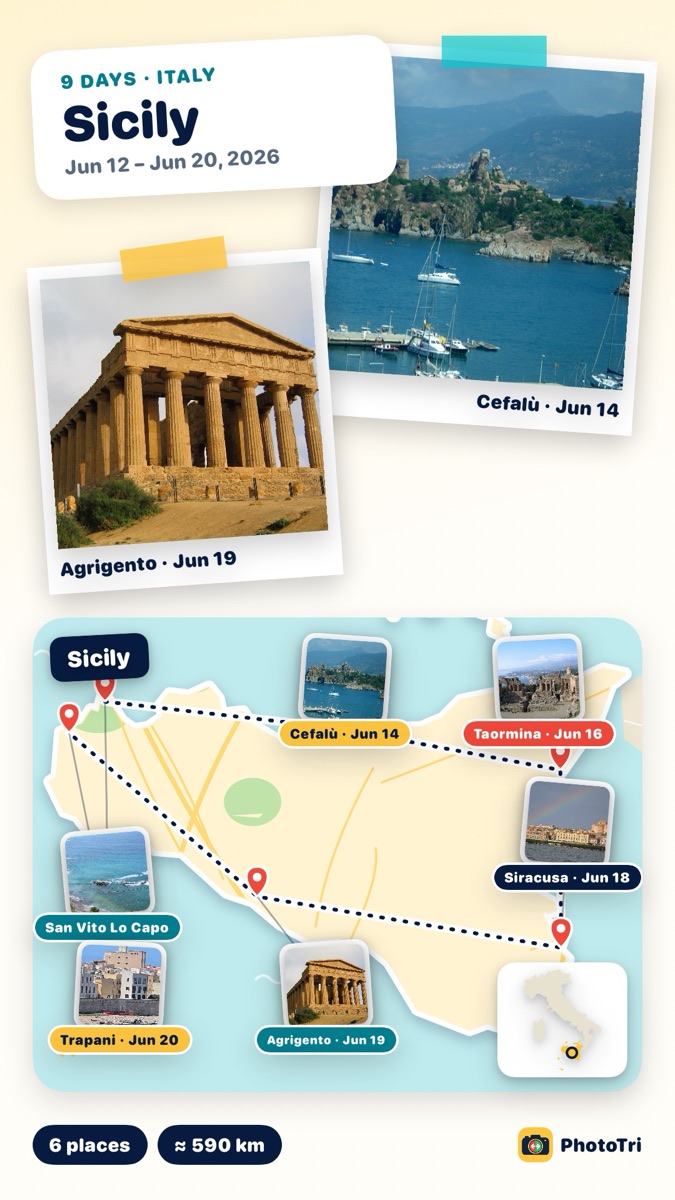
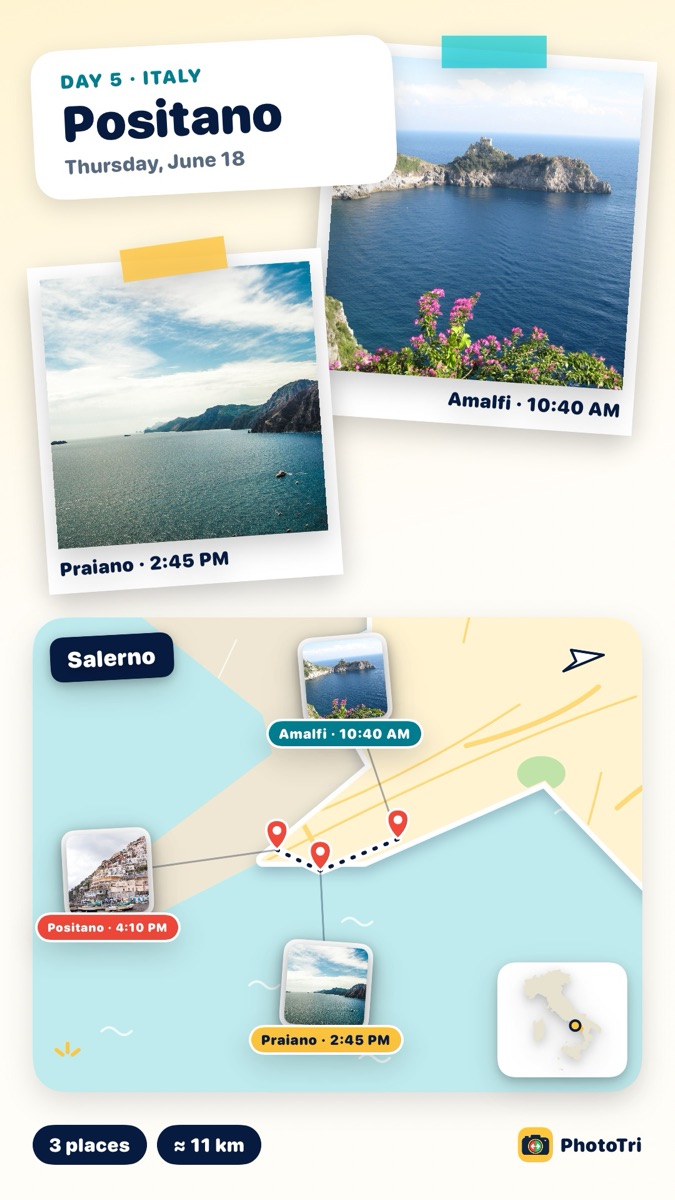
PhotoTri recognizes your trips from the location saved in your photos. In the evening, it shows you the day's photos, the easiest ones to delete first: bursts, duplicates, missed shots. You keep the best, and PhotoTri draws your route on a map, with your photos, your stops and the distance covered.
A few videos often weigh more than thousands of photos. PhotoTri plays them back one by one, automatically. Swipe left to delete, right to keep. A counter shows the space you free up as you go.
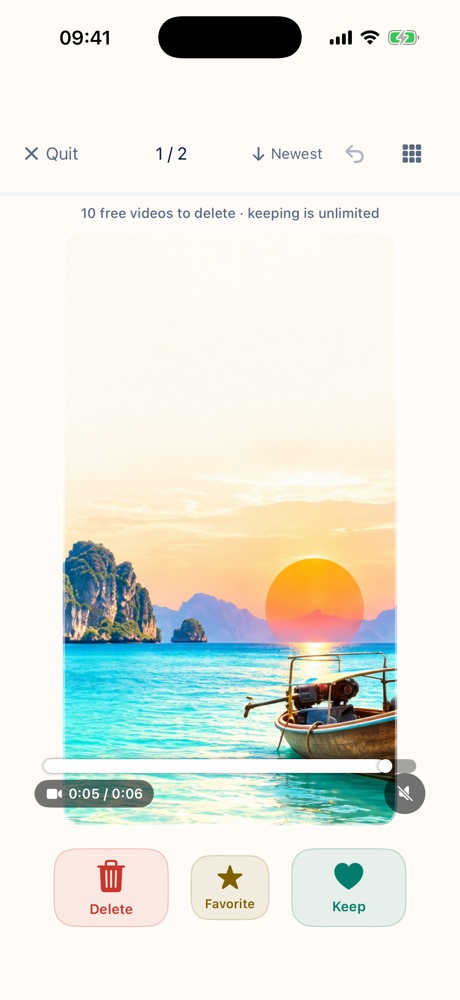
Nothing is deleted without your final look.
Swiping left never deletes on the spot. Restore one item or all of them, and undo your last action at any time.
Copy your trash to a folder for free, or send it with AirDrop or Quick Share.
Pinch or double-tap to check a detail before you decide.
Photos taken on the same day in past years, with an evening reminder if you want one.
Deleting on your iPhone frees up iCloud space too. And iOS keeps everything for 30 days in Recently Deleted.
One purchase, and up to five family members can use it.
Privacy
No account, no analytics, no ads, no server. Faces, duplicates and trips are detected on the device, and PhotoTri works offline. A photo only leaves your phone if you share or export it, and then it leaves without its location.
Most cleaner apps want a weekly subscription. PhotoTri doesn't.
$0
$5.99 one-time
US price. The App Store and Google Play show the price for your country.
Open “Hide faces” from PhotoTri's home screen and pick up to 20 photos. The app finds the faces and puts an emoji or a blur on each one. Tap a mask to resize or remove it, tap the photo to hide a face it missed, then share or save. It's free, on iPhone.
No. Only the copies you share or save are masked. They leave without their location or phone model, and face detection runs entirely on your iPhone.
Yes. Each video plays automatically, with or without sound, and you can scrub forward to check the end before you decide.
PhotoTri is free to download. Keeping is unlimited, and you can delete 20 photos and 10 videos for free to try it on your own library. After that, a one-time Lifetime purchase (US$5.99 in the US, local prices vary) unlocks unlimited deletions and duplicate cleaning. No subscription, no ads.
Nothing is deleted straight away. Swiped items wait in PhotoTri's trash, where you can restore them. You can also undo your last action at any time. Even after you empty the trash, iOS keeps deleted items for 30 days in Recently Deleted.
No, unless you share or export them yourself. PhotoTri has no account, no analytics and no server. Everything happens on your iPhone, and the app works offline.
From the location saved in your photos, read on your phone. PhotoTri never asks for your phone's location and never tracks where you go. Maps and place names are built into the app: nothing is sent to a map service. On Android, the app asks for access to your photos' location.
Yes. PhotoTri groups near-identical shots taken seconds apart, like bursts or the ten attempts at the same family photo. You tap the one to keep and the rest go in one tap.
Yes, PhotoTri loads photos and videos stored in iCloud. With iCloud Photos turned on, deleting on your iPhone also deletes from iCloud and your other devices, which is also how you get iCloud space back.
Yes. The Lifetime purchase supports Family Sharing, so up to five family members can use it at no extra cost. PhotoTri needs iOS 17 or later.
Hide faces and trip recaps are free. No subscription, no account.